Erin Spain

Home, DIY, & Photography

  • Home
  • About
    • Press
    • Advertise
    • Podcast
    • Disclosure & Policies
  • Project Gallery
  • YouTube
  • Photography
  • TRAVEL
  • Contact

How to Make Your Own Printable Wall Art

June 26, 2013 By Erin Spain 10 Comments

How to Make Your Own Printable Wall Art: Tutorial via DIYontheCheap.com

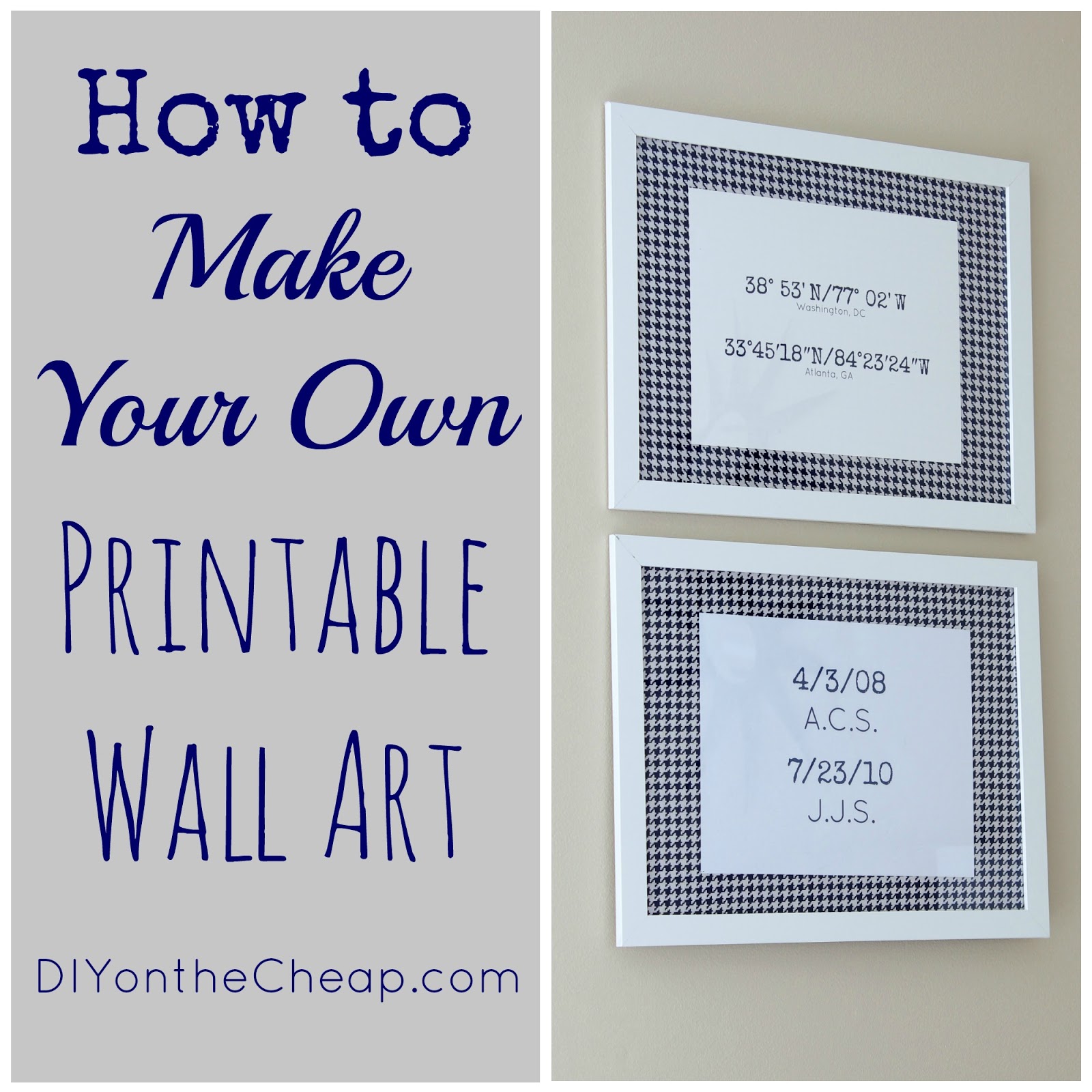
I recently made some easy printable wall art for our bedroom, and today I’m going to show you exactly how you can create your own printable artwork for free! For my art, I chose to print out the latitude and longitude of two cities that mean a lot to my husband and I, the city where we met (Washington, DC) and the city where we got married (Atlanta, GA). I also opted to make a printable of our children’s initials and birthdates. I printed them on cardstock, and used navy houndstooth fabric as a mat for my cheapo IKEA picture frames. Instant art on a budget!

Make your own printable wall art! Tutorial via DIYontheCheap.com

There are several ways to make printable art, but I am going to walk you through the process that I always use. It’s easy and free, and you can create any type of printable you choose – maybe your favorite quote, Bible verse, song lyrics, dates or places that mean a lot to you, etc. The possibilities are endless. You can design it in any color or fonts you’d like.

The program that I love to use is PicMonkey. Although they offer a pay-per-month upgraded version, their basic version is free. (They are not paying me to promote them! I just love using their site.)

First, go to PicMonkey.

Use PicMonkey to make your own printable wall art!

Choose the “Create a Collage” option. You will see the screen below.

Use PicMonkey to make your own printable wall art! Full tutorial via DIYontheCheap.com

When you hover over the boxes, little “X”s will appear in the corners. Click the little “X” in the corners of two of those boxes so you are left with only one big box.

Use PicMonkey to make printable wall art! Tutorial via DIYontheCheap.com

Save this and then close it. (Unfortunately I don’t know of a way to use text on a collage so you’ll have to go back in to the “edit a photo” mode.) Go back to the PicMonkey main screen and this time choose “Edit a Photo.” Choose the photo collage that you just saved.

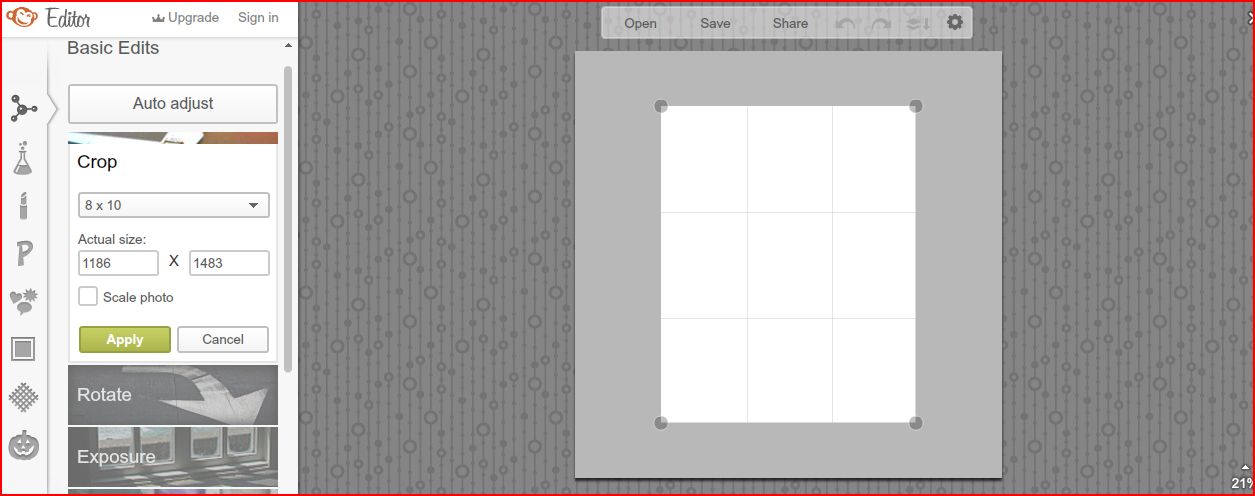
Crop your “photo” – I normally choose 8×10 since this is a standard photo size.
How to Make Your Own Printable Wall Art via DIYontheCheap.com

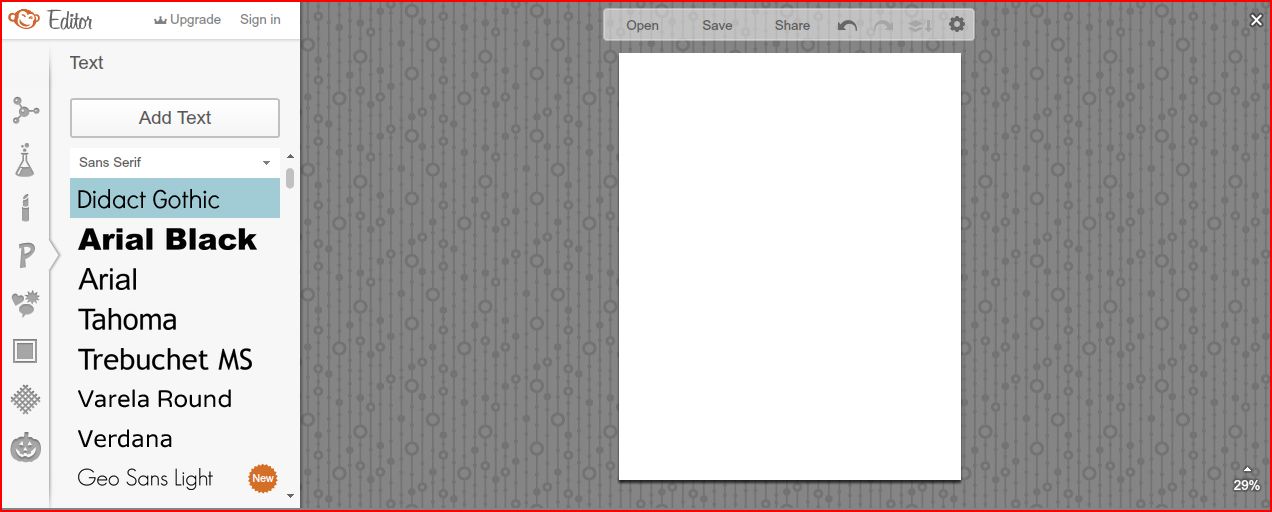
Now you’re ready to add your text! This is the fun part. Play around with fonts, colors and sizes. You can even add a border or graphics.
How to Make Your Own Printable Wall Art tutorial via DIYontheCheap.com

Print it on photo paper or cardstock and frame it! You can use fabric, scrapbook paper, wrapping paper, etc, as a decorative photo mat. Gotta love saving money! Wall art can cost a pretty penny, so this is a fun, easy way to create your own personalized art without spending much (or any) money at all.

What message would you choose for your printable art?

If you’re new here, please consider subscribing via RSS or by email. You can also connect with me on Facebook, Twitter, Pinterest, Hometalk, Instagram and Google+. Thanks for visiting!


Filed Under: Art, Free Printables, Home & DIY Blog, Tutorials, Wall Decor

« HomeRight Painting Kit Giveaway!
Embellish a Vase with Mod Melts and Molds »

Comments

  1. Kelly @ View Along the Way says

    June 28, 2013 at 1:43 am

    So pretty! I love the idea to use latitude & longitude of places that are important to you. Now I’m inspired to do something similar! Great tutorial.

    Reply
    • Erin Spain says

      July 9, 2013 at 11:31 pm

      Thanks Kelly!

      Reply
  2. reFresh reStyle says

    June 29, 2013 at 2:14 am

    Love it! I’ve been wanting an easy to follow tutorial, perfect!
    Debbie

    Reply
    • Erin Spain says

      July 9, 2013 at 11:31 pm

      Thanks Debbie!

      Reply
  3. kelly @stayingonbudget says

    July 27, 2013 at 12:32 pm

    This is great! I love it…thanks for this tutorial!

    Reply
    • diyonthecheapblog says

      July 27, 2013 at 7:51 pm

      Thanks Kelly!

      Reply
  4. Alicia Browder says

    September 3, 2013 at 11:21 pm

    This is just what I needed to know. I have been using Picmonkey in editing my photos since Picnik is already not available but, I never knew I can make a printable wall art with it. I will definitely give this a try! 🙂 Thanks for sharing this.

    Reply
    • Erin @ DIY on the Cheap says

      September 3, 2013 at 11:43 pm

      Thanks Alicia! I was so sad when Picnik went away. I’ve fallen in love with PicMonkey though!

      Reply

Trackbacks

  1. Keep Calm and Pay the Debt Down | Staying On Budget says:
    July 29, 2013 at 11:52 am

    […] had this idea for a printable for awhile and thanks to Erin over at DIY on the Cheap, I can show off my mad skills in printables. Like Erin, I used PicMonkey.  My office is too much […]

    Reply
  2. 10 Ideas for Inexpensive Wall Art - DIY on the Cheap says:
    October 10, 2013 at 10:47 pm

    […] 7. Make Your Own Printable Art […]

    Reply

Leave a Reply Cancel reply

Your email address will not be published. Required fields are marked *

SHOP ERIN’S FAVORITES

SPONSORS & AFFILIATES

CATEGORIES

ARCHIVES

Copyright © 2026 Erin Spain. Log in | Privacy Policy